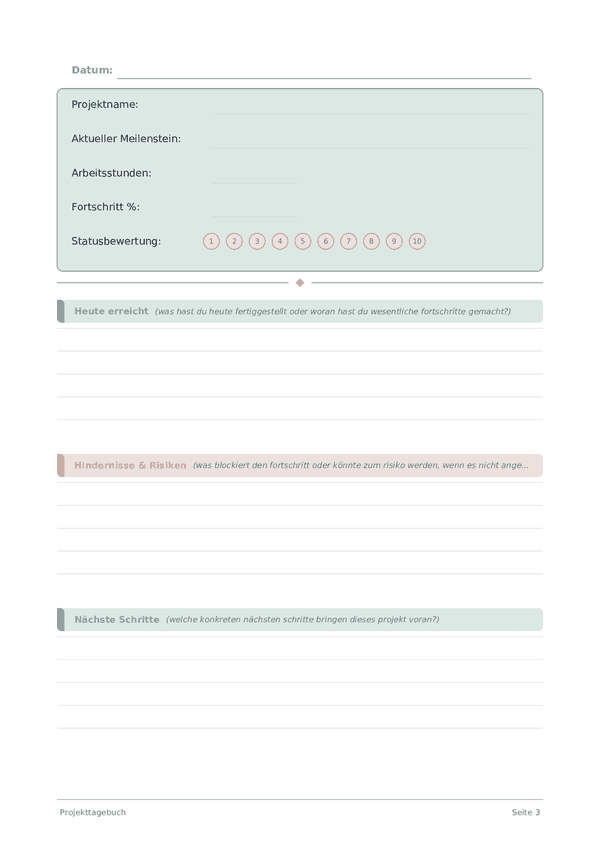
Printable Projekttagebuch
Täglicher Projektfortschritts-Tracker und Arbeitstagebuch
Keep your projects on track with daily progress logging, milestone tracking, and blocker identification. Stay accountable and deliver on time with structured project journaling.
Felder anpassen
Schalten Sie Felder ein oder aus. Klicken Sie auf den Stift zum Umbenennen oder fügen Sie eigene Felder hinzu.
Was ist dieses Journal?
A project journal keeps every moving piece of your work visible in one place. Whether you are building an app, planning an event, or renovating a room, projects have a way of growing more complex than expected. This journal combines daily progress tracking with structured reflection so you always know where you stand, what is blocking you, and what to tackle next.
The tracker section logs the project name, current milestone, hours worked, overall percentage complete, and a status rating for the day. The writing section captures what you actually accomplished, any blockers or risks you identified, decisions you need to make, and your planned next steps. Together, these sections create a living project log that is far more honest than a status meeting.
Fill in the tracker at the end of each work session and spend a few minutes on the written reflection. When a project stretches over weeks or months, these entries become your most reliable record of how decisions were made and why — invaluable for retrospectives and future planning.
Ausgefülltes Beispiel
So sieht ein typischer Eintrag aus, wenn er ausgefüllt ist:
Wie Sie jedes Feld ausfüllen
Oben auf jeder Seite befinden sich schnell ausfüllbare Felder (Bewertungen, Kontrollkästchen, Zahlen). Darunter ist ein linierter Bereich zum Schreiben. Hier erfahren Sie, was jedes Feld bedeutet:
Projektname
An welchem Projekt arbeitest du heute?
Aktueller Meilenstein
Auf welchen Meilenstein oder welche Phase arbeitest du gerade hin?
Arbeitsstunden
Wie viele Stunden hast du heute an diesem Projekt gearbeitet?
Fortschritt %
Gesamtfortschritt des Projekts in Prozent (0-100)
Statusbewertung
Wie gesund ist das Projekt gerade? (1=kritisch, 5=im Plan)
Heute erreicht
Was hast du heute fertiggestellt oder woran hast du wesentliche Fortschritte gemacht?
Hindernisse & Risiken
Was blockiert den Fortschritt oder könnte zum Risiko werden, wenn es nicht angegangen wird?
Nächste Schritte
Welche konkreten nächsten Schritte bringen dieses Projekt voran?
Offene Entscheidungen
Welche Entscheidungen müssen getroffen werden, um das Projekt voranzubringen?
Tipps für den Erfolg
Wann und wie oft schreiben
Write an entry at the start and end of every work session on the project. The opening entry sets intention and priorities; the closing entry captures progress, decisions, and the next action. For long-running projects, add a weekly summary that rolls up daily entries into a high-level status. Monthly, review the arc of the project: are you closer to the goal, has the goal shifted, and are your estimates improving? This layered rhythm — daily, weekly, monthly — keeps you both productive and strategic.
Häufig gestellte Fragen
Was verfolgt das Projekt-Journal jeden Tag?
Fünf Tracker-Felder — Projektname, aktueller Meilenstein, gearbeitete Stunden, Fortschritt in Prozent (0-100) und Status-Bewertung (0-10) — plus fünf linierte Zeilen für heute Erreichtes, Blocker und Risiken, nächste Schritte und nötige Entscheidungen. Die Struktur erzwingt tägliche Verantwortung und legt Blocker frei, bevor sie kaskadieren. Sie unterstützt jede Projektart: Software, Forschung, Schreiben, Handwerk, Geschäftslaunches.
Warum gearbeitete Stunden notieren, wenn ich Aufgaben tracken könnte?
Stunden messen den Einsatz; Aufgaben messen den Output am Ende. Beides zu tracken offenbart Effizienzmuster — ein Meilenstein, der 40 erwartete Stunden brauchte, aber 80 verschlang, ist ein Signal zum Neuabschätzen, kein persönliches Versagen. Projektforschung zeigt konsequent, dass Personen die Aufgabendauer um 25-50% unterschätzen (Planungsfehlschluss). Stunden neben Fortschritt-Prozent über Wochen kalibriert deine Schätzungen ehrlich.
Wie nutze ich Fortschritt-Prozent realistisch?
Schätze gegen den Gesamtumfang des Meilensteins, nicht gegen dein Aufwandsgefühl. Die klassische Projektfalle ist das "90% fertig in den letzten 30% der Zeit"-Muster. Sei konservativ — nenne es 60% statt 75% bei Unsicherheit. Gestrige Schätzung gegen heutige Realität zu prüfen ist eine Rückkopplungsschleife, die Genauigkeit schneller verbessert als jede Planungsmethode und 30 Sekunden dauert.
Was kommt in den Blocker- und Risiken-Bereich?
Konkrete Hindernisse (Warten auf Input, fehlendes Werkzeug, ungelöste Entscheidung) plus Risiken, die noch nicht blockieren, aber wahrscheinlich werden (nahende Frist, unklare Abhängigkeit). Einen Blocker schriftlich zu benennen, verwandelt ihn von ängstlichem Hintergrundrauschen in einen handlungsreifen Punkt — oft eine kurze Nachricht, Entscheidung oder Eskalation. Unausgesprochene Blocker verursachen weit mehr Projektverzögerung als die Arbeit selbst.
Wie unterscheiden sich "nötige Entscheidungen" von "nächsten Schritten"?
Nächste Schritte sind Handlungen, die du morgen allein tun kannst. Nötige Entscheidungen sind Wahlmöglichkeiten, die Input brauchen — von dir selbst nach dem Schlafen, von einem Mitarbeiter, von einer Kundin. Die Trennung verhindert die Falle, Arbeit zu beginnen, die auf eine Entscheidung hätte warten sollen. Die meisten festsitzenden Projekte scheitern an Entscheidungspunkten, nicht an Ausführungspunkten. Das zweizeilige Feld zwingt, diese Tore explizit zu benennen.
Wie ändert tägliches Journaling Projektergebnisse?
Tägliches Fortschritts-Loggen baut das, was Amabile (2011, The Progress Principle, Harvard Business Review Press) als stärksten Prädiktor für Zufriedenheit und Durchhalten in kreativer Arbeit identifiziert: ein sichtbares Gefühl bedeutungsvollen Fortschritts. Das Feld "heute erreicht" — auch mit kleinen Einträgen — hält die Motivation in langen Projekten. Den laufenden Eintrag an harten Tagen zu lesen, formt "nichts funktioniert" um in den realen Bewegungslog.
Wie oft sollte ich vergangene Projekteinträge durchsehen?
Tägliche Übersicht des Vortagseintrags zum Sitzungsstart; wöchentliche Durchsicht der gesamten zurückliegenden Woche. Die Wochensicht enthüllt Muster: wiederkehrende Blocker eines Typs, zu optimistische Schätzungen, Arten von Arbeit, die regelmäßig länger dauern als geplant. Hier werden auch Status-Bewertungsabfälle sichtbar — eine Reihe niedriger Werte signalisiert Burnout oder Umfangsprobleme, bevor sie zur offenen Krise werden.
Kann ich mehrere Projekte in einem Journal verfolgen?
Ja — das Projektname-Feld ist pro Eintrag. Widme entweder aufeinanderfolgende Seiten verschiedenen Projekten oder bündele sie nach Tag. Einzelprojekt-Nutzer gewinnen ein dichteres Narrativ; Mehrprojekt-Nutzer projektübergreifende Mustersicht. Bei mehr als drei aktiven Projekten ist ein eigenes Journal pro Großprojekt meist klarer als ein gemischter Log. Passe dich dem an, was zu ehrlichen täglichen Einträgen führt.
Das könnte Ihnen auch gefallen
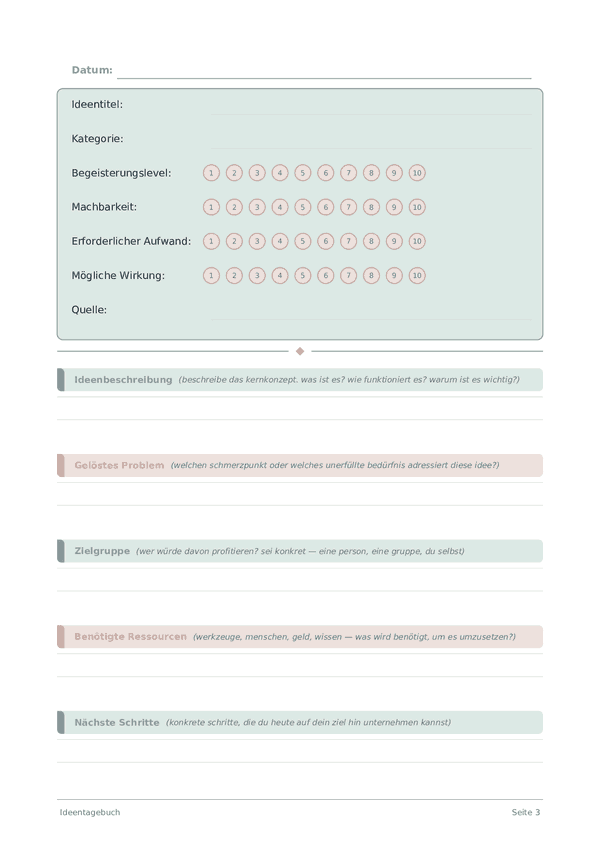
Ideentagebuch
Ihre besten Ideen festhalten, bewerten und weiterentwickeln
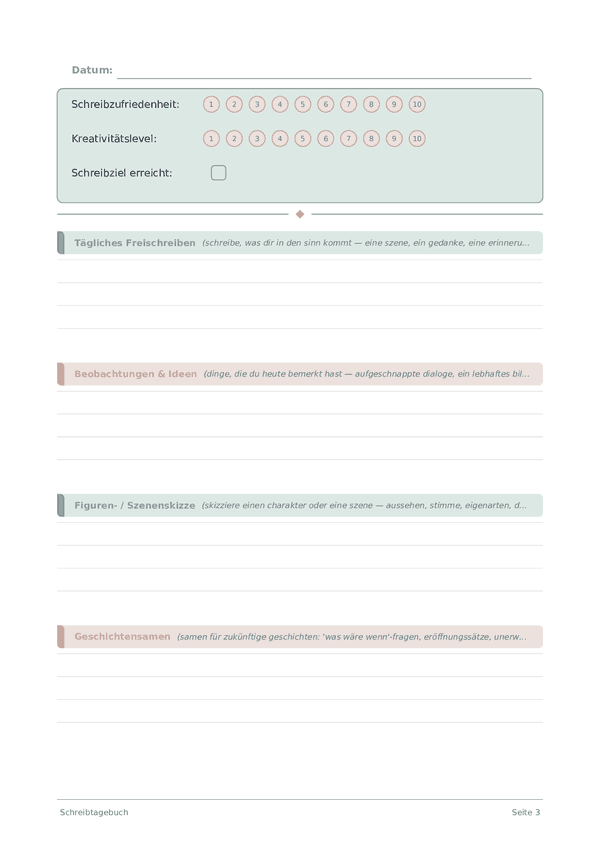
Schreibtagebuch
Tägliche kreative Schreibpraxis & Handwerksentwicklung
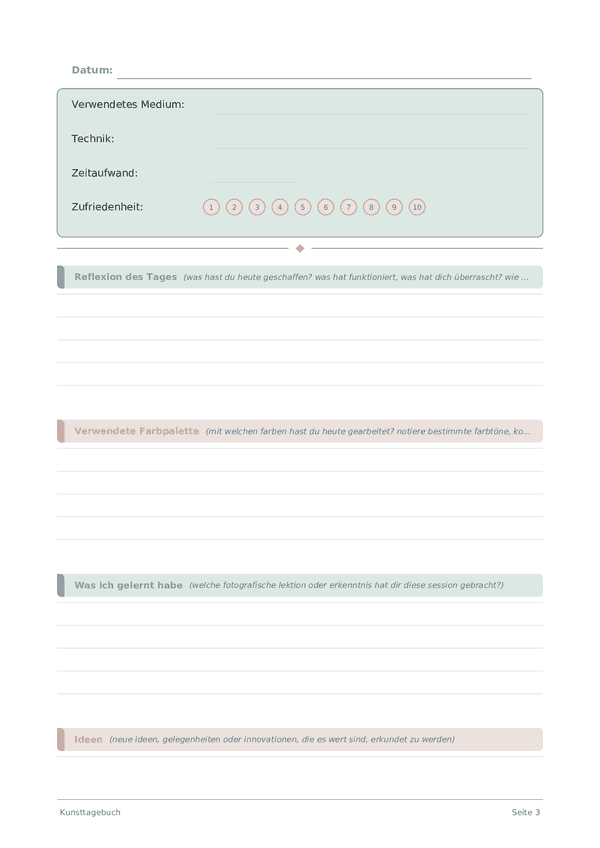
Kunsttagebuch
Dokumentieren Sie Ihren kreativen Prozess und künstlerisches Wachstum
Skizzenbuch-Tagebuch
Offene Punktraster-Seiten zum Skizzieren, Zeichnen und visuellen Entdecken

Scrollen zum Zoomen, ziehen zum Bewegen