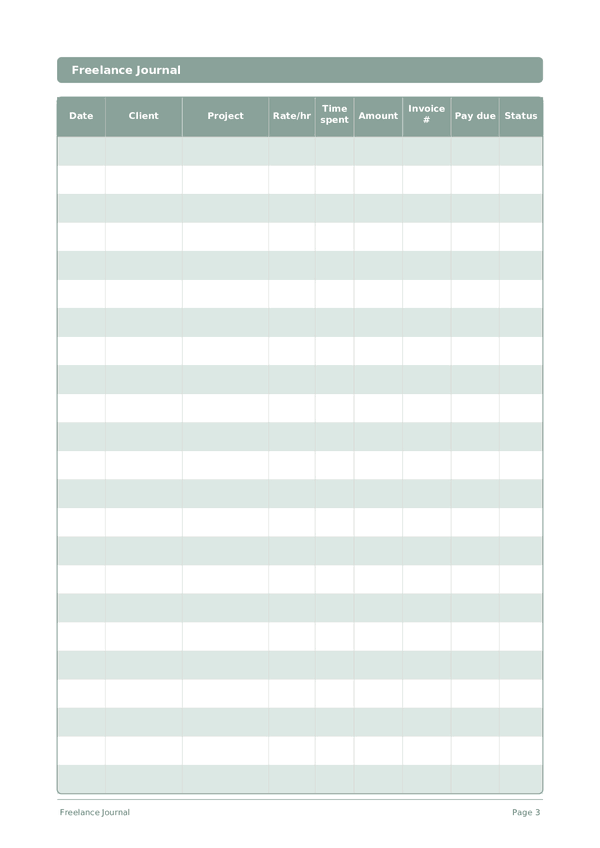
Printable Freelance Journal
Track clients, projects, hours, and invoices in one place
The Freelance Journal is a structured work log for independent professionals. Record every client engagement, project, hours worked, invoiced amount, and payment status in one organized table. Whether you are a designer, developer, writer, or consultant, this journal helps you stay on top of your workload and cash flow without complex software.
Customize fields
Toggle fields on or off. Click the pencil to rename, or add your own fields.
Benefits
How to Use
What is this journal?
A Freelance Journal is your financial command center for independent work. Each row logs the date, client, project, hourly rate, time spent, amount earned, invoice number, payment due date, and status. By keeping everything in one structured log, you always know exactly where your income stands — who owes you money, which projects are most profitable, and where your time actually goes.
Freelancing without organized records is a recipe for missed invoices, underpriced work, and tax-season panic. This journal solves all three problems. When you can see at a glance that Client A pays more per hour than Client B but takes twice as long to pay, you make better business decisions. When tax time arrives, your records are already in order.
Log every work session as it happens — even fifteen-minute blocks add up. Update the status column as invoices move from Draft to Sent to Paid. At the end of each month, review the log to calculate your effective hourly rate per client and identify which types of projects deserve more of your time.
Filled example
Here's what a typical entry looks like when filled in:
| Date | Client | Project | Rate/hr | Time spent | Amount | Invoice # | Pay due | Status |
|---|---|---|---|---|---|---|---|---|
| 2025-01-06 | Riverside Marketing | Brand refresh | 85 | 4.5 | 382.5 | INV-2025-012 | 2025-02-05 | Sent |
| 2025-01-07 | TechStart LLC | Landing page design | 95 | 6 | 570 | INV-2025-013 | 2025-02-06 | Draft |
| 2025-01-07 | Riverside Marketing | Brand refresh | 85 | 3 | 255 | INV-2025-012 | 2025-02-05 | Sent |
| 2025-01-08 | Bloom & Co | Social media templates | 75 | 5 | 375 | INV-2025-014 | 2025-02-07 | Paid |
| 2025-01-08 | TechStart LLC | Landing page design | 95 | 2.5 | 237.5 | INV-2025-013 | 2025-02-06 | Draft |
How to fill in each field
Each page is a table with columns. Fill in one row per entry. Here's what each column is for:
Date
Write today's date. This anchors your entry in time and helps when reviewing entries later.
Client
Client name or company
Project
Project name or task description
Rate/hr
Your hourly rate for this project in dollars
Time spent
How long did you study?
Amount
Record the amount for this entry. Be precise — rounding creates inaccuracies that add up over time.
Invoice #
Invoice reference number (e.g. INV-001)
Pay due
When payment is due from the client
Status
Applied, Phone screen, Interview, Offer, Rejected, Withdrawn...
Tips for success
When and how often to write
Update your freelance log at the end of every working day — record hours, tasks completed, and any invoices sent or payments received. This takes 5 minutes and prevents the end-of-month scramble to reconstruct your hours. Weekly, review your pipeline: upcoming deadlines, pending invoices, and capacity for new work. Monthly, calculate your effective hourly rate (total income divided by total hours including non-billable), review client profitability, and plan your acquisition efforts for the next month.