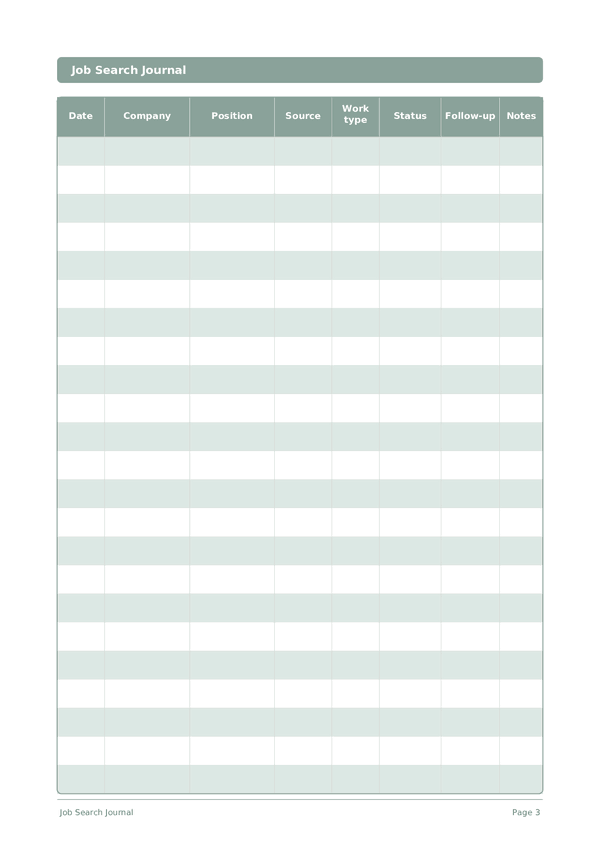
Printable Job Search Journal
Track every application, interview, and follow-up in one organized log
Job searching is a numbers game — and staying organized is the competitive advantage most candidates overlook. This structured table-log journal gives you a clear view of every application at a glance: where you applied, the role, source, current status, and when to follow up. Stop juggling browser tabs and sticky notes. One row per application, complete visibility over your entire search.
Customize fields
Toggle fields on or off. Click the pencil to rename, or add your own fields.
Benefits
How to Use
What is this journal?
A Job Search Journal is a structured log that keeps every application, contact, and follow-up organized in one place. Each row captures the date, company name, position, source, work type, application status, follow-up date, and notes. Instead of relying on memory or scattered spreadsheets, you get a single, scannable record of your entire job hunt.
Job searching is essentially a project management challenge. The most successful candidates treat it that way — tracking dozens of applications, remembering which recruiter said what, and following up at the right time. This journal gives you that system in a clean, printable format that you can review at a glance every morning.
Fill in a new row each time you apply or make a meaningful contact. Update the status column as you progress through stages — Applied, Phone Screen, Interview, Offer, Rejected. Use the notes column for details you will want to recall later, such as the interviewer's name or a specific question they asked. Review your log weekly to identify which strategies are generating the most callbacks.
Filled example
Here's what a typical entry looks like when filled in:
| Date | Company | Position | Source | Work type | Status | Follow-up | Notes |
|---|---|---|---|---|---|---|---|
| 2025-01-06 | Acme Corp | Product Manager | Remote | Interview | 2025-01-13 | 2nd round with VP of Product on Jan 10 | |
| 2025-01-07 | BrightPath Inc | Senior PM | Referral | Hybrid | Applied | 2025-01-14 | Referred by Sarah K., sent portfolio link |
| 2025-01-07 | NovaLabs | Product Lead | Company site | On-site | Phone Screen | 2025-01-10 | HR call scheduled for Jan 9 at 2 PM |
| 2025-01-08 | Greenfield Tech | Associate PM | Indeed | Remote | Applied | 2025-01-15 | Tailored resume to SaaS focus |
| 2025-01-08 | Summit Digital | Product Manager | Recruiter | Hybrid | Rejected | Position filled internally |
How to fill in each field
Each page is a table with columns. Fill in one row per entry. Here's what each column is for:
Date
Write today's date. This anchors your entry in time and helps when reviewing entries later.
Company
Name of the company or organization
Position
Job title you applied for
Source
Book, course, video, article, person...
Work type
Remote, hybrid, on-site, part-time, contract...
Status
Applied, Phone screen, Interview, Offer, Rejected, Withdrawn...
Follow-up
When to send a follow-up email
Notes
Add any additional context or thoughts. This catch-all column is for anything that doesn't fit elsewhere but might be useful later.
Tips for success
When and how often to write
Update your job search log daily during active searches — add new applications, update statuses, and check follow-up dates. Even on days you do not apply, spend 5 minutes reviewing your pipeline and moving stale applications to no response. Weekly, calculate your application-to-interview ratio to see if your resume and targeting strategy are working. If you are sending 20+ applications with zero callbacks, it is time to revise your approach rather than increase volume.